
TailwindCSS: speed, consistency, and modern interfaces
Learn how to build modern interfaces using utility classes that make everything fast, lightweight, and easy to maintain. Build consistent, scalable components with maximum productivity using TailwindCSS as your styling layer.
Utility classes in practice
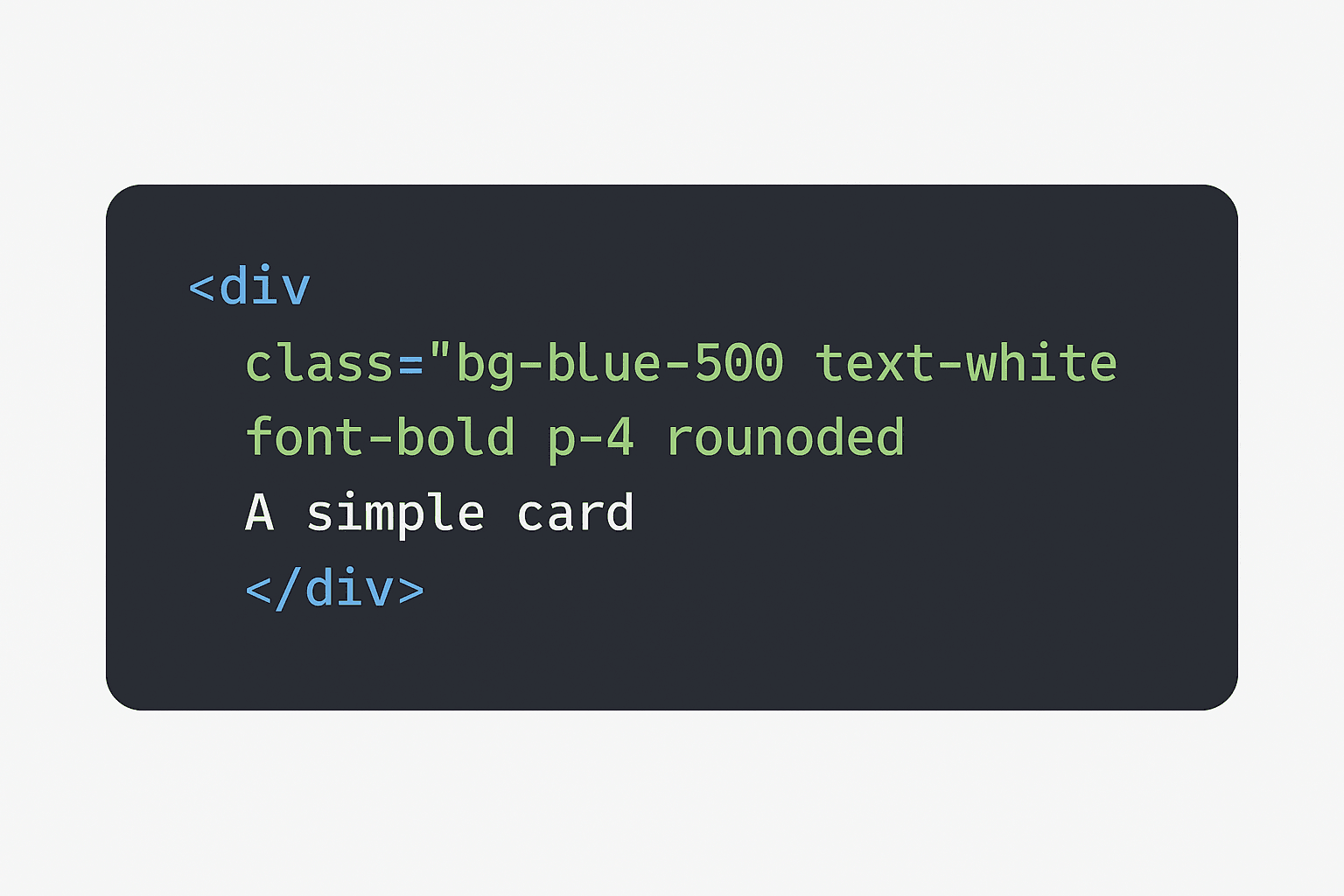
TailwindCSS follows a simple yet powerful rule: each utility class represents a single responsibility, allowing you to build styles directly in your HTML or JSX. This philosophy reduces the need for separate stylesheets and makes the development workflow faster and more intuitive.
Instead of switching between files, components, and style sheets, you keep everything in a single and focused flow. This not only accelerates the creation of pages and interfaces but also ensures consistency across all parts of the project. The result is a smoother and more predictable development experience, especially in larger teams or fast-growing applications.
Additionally, because it works with an extensive set of predefined utilities, Tailwind avoids naming conflicts, reduces duplicated styles, and makes fine adjustments effortless. Customizing the design is also simple: just configure your own theme, colors, and spacing inside the tailwind.config.js file.
- Fewer CSS files to manage: Most styling is applied directly within components, reducing the need for auxiliary stylesheets and making maintenance easier.
- Predictable and consistent styling: Since utility classes follow clear patterns, the visual behavior of the interface remains consistent across the entire application.
- Faster UI and layout creation: Building styles directly in the markup accelerates prototyping, complex interfaces, and everyday design adjustments.
- Less duplicated CSS: Because utilities are reusable, you avoid creating multiple definitions of similar styles across different files.
- Better integration with design systems: Tailwind adapts easily to design systems, making it simple to create fully standardized components with minimal effort.
- Increased productivity: With no need to switch contexts, you stay focused on the interface and deliver results more quickly.
Building a Design System with Tailwind
Creating a solid Design System is one of the biggest investments you can make to ensure consistency, scalability, and development speed. With TailwindCSS, this process becomes much simpler because the framework itself already provides a highly structured set of tokens: colors, spacing, typography, shadows, borders, and even animations can be standardized in a centralized way.
Instead of reinventing styles for every component, you create a set of rules that the entire interface will follow. This guarantees that buttons, cards, inputs, modals, and any other element share the same look, behavior, and feel — keeping the project coherent, even when several people are collaborating.
The secret is turning the tailwind.config.js file into the project’s single source of truth. It's where you organize primary, secondary, and support colors; define spacing scales; create elegant font sizes; and fine-tune shadows and borders to form a unique and professional visual identity.
- Define colors in
tailwind.config.js: Centralize your palette by creating tokens likeprimary,secondary,accent, andneutral. This makes future adjustments easier and keeps the entire system aligned. - Standardize spacing, radius, and typography: Build a consistent visual rhythm by defining proportional spacing, balanced borders (like
rounded-md,rounded-xl), and a clear typographic hierarchy for titles, subtitles, body text, and captions. - Use components with reusable classes: Buttons, inputs, badges, and cards can follow fixed patterns. By creating components with well-defined utility sets, you avoid duplication and keep the project's style clean and predictable.
- Document your Design System: Even something simple — like a reference file or an internal page — helps the team follow the same guidelines and avoids visual inconsistencies.
- Create visual variants: States like
hover,active,focus,disabled, and dark mode themes can be standardized to keep uniformity across different interface states.
When the Design System is well structured, development becomes faster, the code stays cleaner, and the application's visual identity remains professional regardless of project size or the number of people working on it.
Efficient Componentization
Building components intelligently is what transforms a simple interface into a solid, predictable, and easily scalable foundation. When you combine this concept with the power of Tailwind’s utility classes, each component becomes clearer, more direct, and more structured — exactly what a modern project needs to grow without losing quality.
Separating structure, behavior, and style helps reduce coupling and prevents the infamous "style chaos" that grows as a project expands. Instead, every part of the interface follows a construction pattern that makes maintenance, testing, layout adjustments, and even future rewrites much easier.
With Tailwind, a common approach is to keep the style as explicit as possible inside the JSX, while the logic remains isolated within the component. This offers visual transparency: by simply looking at the component, you immediately understand how it behaves and how it should be displayed.
- Compose classes with minimalistic logic: Keep the component’s logic simple and focused. Let Tailwind handle the visual representation. This separation increases clarity and prevents duplicated responsibilities.
- Create reusable visual patterns: Buttons, alerts, cards, inputs, and navigation elements can all follow consistent structures and styles. This speeds up development and reduces visual inconsistencies.
- Maintain consistency across components: By repeating patterns of layout, color, and spacing, the user experience stays stable, and the code becomes easier for the entire team to understand.
- Use smart variants: Tailwind makes it easy to apply states such as
hover,active,focus, anddisableddirectly in the markup, avoiding extra CSS and keeping style definitions centralized. - Smaller components, bigger projects: Small, well-defined components are easier to test, replace, version, and scale. This is the foundation of a maintainable and future-proof design system.
When componentization is done efficiently, the project becomes modular, intuitive, and much easier to evolve. Each component becomes an independent, reusable piece, ready to adapt as the interface grows — without future headaches.
Why use Tailwind?
Tailwind is not just a set of utility classes — it represents a modern way of thinking about design and interface construction. Instead of writing CSS from scratch for every component, you compose styles directly in the markup, which speeds up the workflow, reduces repetition, and makes the code more transparent.
The biggest advantage is predictability: each class does exactly one thing, allowing any developer to quickly understand how a layout was built. This removes the need to browse through hundreds of CSS files, simplifies maintenance, and accelerates delivery — especially in larger teams.
On top of that, Tailwind provides a uniform foundation for colors, spacing, typography, and visual states. This keeps the project consistent regardless of its size, complexity, or the number of collaborators involved.
- Massive productivity: Building complex layouts becomes fast and straightforward, since everything is based on simple combinations of utility classes.
- No more duplicated styles: Because utility classes follow global patterns, you avoid recreating unnecessary CSS rules and keep your codebase clean.
- Guaranteed visual consistency: The entire project follows the same set of standards, resulting in a strong, professional, and easy-to-maintain visual identity.
- Perfect integration with modern frameworks: Tailwind works flawlessly with React, Next.js, Vue, and other frameworks, enabling a smooth experience when building components.
- Highly customizable: Through the
tailwind.config.jsfile, you can adjust colors, spacing, typography, and even animations to shape the design exactly the way your project needs. - Great for teams: Since styles are standardized and explicit, collaboration becomes simpler and less prone to mistakes or visual inconsistencies.
Using Tailwind means writing less CSS, gaining more speed, and keeping your design clean and consistent. It’s a tool that evolves with your project and easily adapts to any scale of growth.
Benefits of a Well-Applied Tailwind Project
When Tailwind is used strategically, your project gains clarity, speed, and organization. Well-planned utility classes combined with a consistent architecture turn the codebase into something more predictable, lean, and easy to evolve.
- Cleaner code, without scattered rules or CSS accumulating complexity over time.
- Extremely consistent UI, since every visual pattern follows the same central configuration and shared tokens.
- Much faster delivery, reducing back-and-forth with CSS and eliminating unnecessary creation of repeated classes.
- Truly reusable components, as logic and style become decoupled, allowing the same visual block to be used anywhere in the project.
- Improved team readability, making maintenance and understanding of each interface element far more intuitive.
- A drastic reduction of dead or unused styles, thanks to Tailwind’s built-in purge and natural modularity.