
Semantic HTML: write clearer, more accessible and optimized code
Learn how to use modern tags to improve accessibility, SEO, structure and code clarity. Turn loose blocks into well-defined pages that are easy to navigate and ready for search engines and assistive technologies.
What is Semantic HTML?
Semantic HTML is the practice of building pages using elements that carry real meaning. Instead of structuring everything with <div> — which tells nothing to the browser — you use tags that describe the purpose of the content, such as <header>, <nav>, <main>,<section>, <article>, <aside>, and <footer>. Each one provides clear intent and context for both the browser and the user.
The goal of semantic HTML is to make it obvious what each part of the page represents. This improves code readability, simplifies maintenance, helps assistive technologies, and guides search engines in understanding the logical structure of your document. In other words, you’re not just creating a page — you’re giving it meaning.
By using proper markup, search engines can better identify content sections, understand hierarchies, and assess relevance. This results in stronger SEO. Screen readers also gain accuracy when interpreting the document, which significantly improves accessibility and inclusiveness.
Another major advantage is clarity for developers themselves: semantic structures make the code self-descriptive, reducing ambiguity and removing the need for comments explaining "what that div is supposed to be." A well-semanticized project ages better, scales more safely, and makes onboarding easier for anyone working on the code later.
In short, semantic HTML isn’t just a recommended practice — it’s a fundamental pillar for accessibility, SEO, organization, and the overall professional quality of any web application.
If you're starting your journey in web development and want to learn in a practical way how HTML, CSS, and JavaScript come together to create modern interfaces, there is a complete course that serves as the perfect starting point to master these fundamentals:Check out the course “Front-end Web Development: Master the Foundations of Interactive Web!”.
Clear and well-organized structure
A good semantic structure creates a natural flow for users and also for the tools that interpret the content. When each block of the page has a defined purpose, the code becomes more readable, more efficient, and much smarter for SEO and accessibility.
Using semantic HTML is not just a modern recommendation — it is a way to ensure that the page communicates its meaning correctly, even without visual styles. This helps screen readers, search engines, and other systems understand priorities and relationships between elements.
- Use
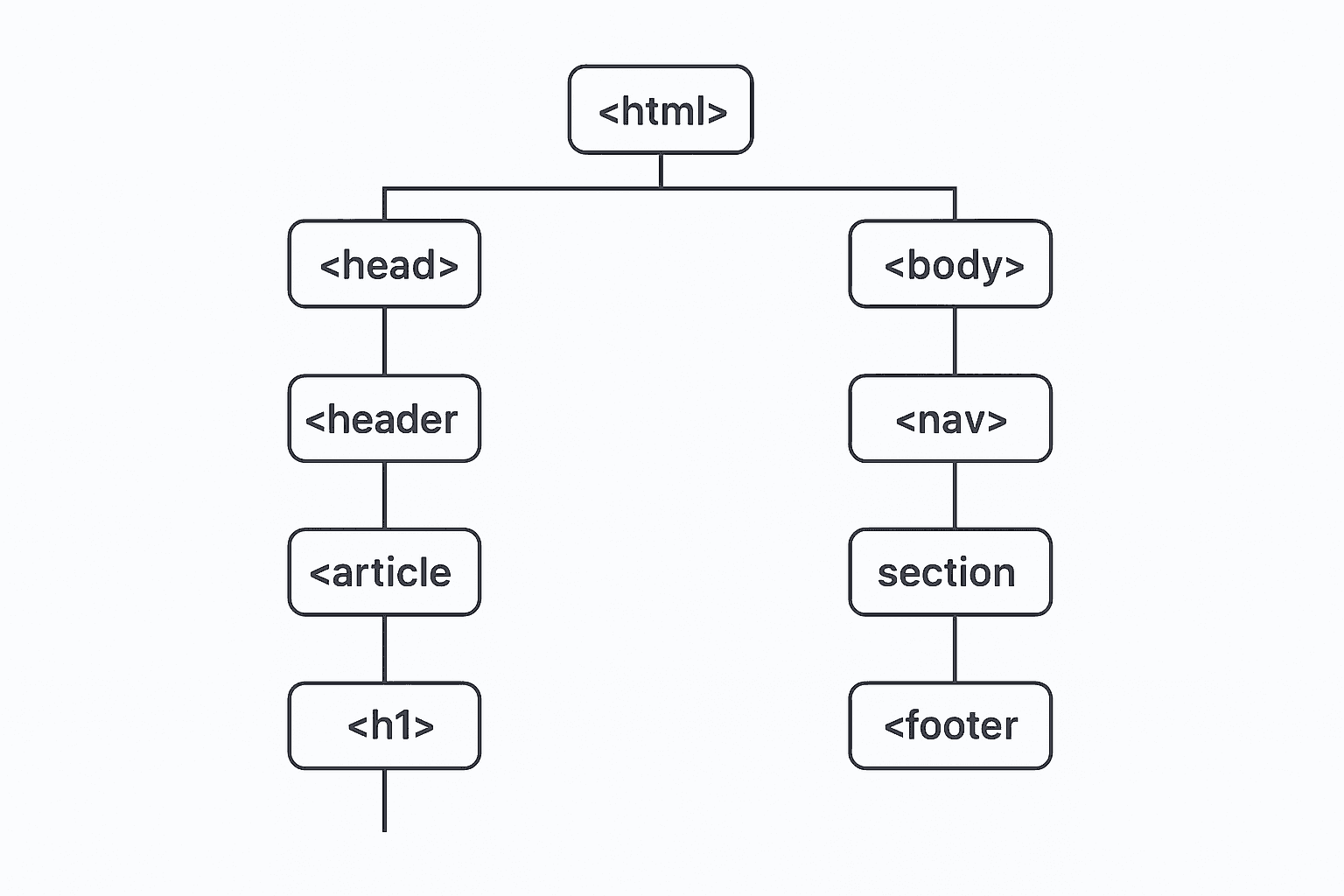
<header>to introduce a page or section, presenting titles, menus or identification information. <nav>should represent groups of links that guide the user to other important areas, such as primary or secondary menus.<main>holds the central content of the page. There should be only one per page.<section>helps divide thematic blocks, working like chapters inside the content.<article>represents independent content such as a post, news article, tutorial or any piece that could exist outside the page.<aside>is used for complementary information: extra links, callouts, banners, notes or supporting content.<footer>closes and contextualizes the page or section — credits, legal links, additional information and more.
Think of semantic structure as a way of "mapping" your page. When this map is clear, the entire experience improves: maintenance becomes simpler, screen readers gain fluidity, and even search engines start to better understand the value of your content.
If you're starting in front-end development and want a solid foundation in structure, organization, and best practices, there's a straightforward e-book that clearly explains these essential principles:Check out the eBook “Decoding the Front-end”.
Heading hierarchy
The heading hierarchy works as the "logical skeleton" of your page. It shows which parts of the content are more important and how each section relates to the others. When this structure is followed correctly, human readers understand the flow much more easily, and search engines interpret the page with far greater accuracy.
Each heading, from <h1> to <h6>, represents a different level of importance. They are not meant to simply make text bigger — they define a clear structure, allowing assistive technologies to create a "virtual index" that users can navigate.
- Use only one
<h1>per page. It represents the main subject of the document and should function as the overall title. - Organize the rest of the content using
<h2>,<h3>,<h4>… Each level introduces a new subdivision.h2defines major sections,h3expands on them, and so on. - Avoid skipping levels without a good reason. For example, do not jump from
h2toh4if ah3naturally fits between them. This break confuses screen readers and harms structural clarity. - Use headings to organize ideas, not to style text. If the goal is only to make something larger or more visually prominent, rely on CSS classes or utility frameworks — headings exist to define structure, not appearance.
- Keep a clear relationship between headings and the content that follows. Each section should sit "under" the heading that represents it, just like chapters and subchapters in a book.
Following this hierarchy correctly makes the page much easier to navigate — both for users and for algorithms. Screen readers allow the user to jump directly to specific headings, and search engines understand which sections carry more weight within the overall structure.
Ultimately, thinking about heading hierarchy means thinking about the entire experience: clarity, accessibility, scannability and professional organization for your project.
Accessibility Benefits
A well-structured and semantic HTML makes the web more inclusive for everyone. When each element is used according to its meaning, screen readers can interpret the page with far more accuracy. This benefits people with visual, cognitive, or motor disabilities, allowing a smoother, clearer, and more predictable browsing experience.
In addition, semantic elements already carry native functions and behaviors that reduce the need for hacks, extra attributes, or manual ARIA definitions. This keeps your code cleaner, easier to maintain, and more friendly to any assistive technology.
- Correct tag = clear meaning.
A<button>automatically tells a screen reader that it is a button, a<nav>indicates a navigation region, and a<main>immediately represents the main content of the page. - Less need for manual ARIA.
Since many elements already include native roles, ARIA becomes complementary — used only in specific cases. This helps avoid common mistakes such as conflicting, unnecessary, or inconsistent roles. - Better keyboard navigation.
With a clear semantic structure, users can navigate using Tab, Shift+Tab, and even screen reader shortcuts to jump between headings, regions, and links. - More logical reading order.
Proper structure guarantees that screen readers follow a natural reading flow, avoiding confusion, repetitions, or strange jumps in the content. - More predictable interactions.
Semantic elements have expected behaviors — for example, a button can be triggered with Enter/Space, while a link takes the user to another page. This creates a more consistent experience for every type of user.
In the end, using semantic HTML means building more human-friendly interfaces. The page becomes clearer, easier to navigate, and fairer for everyone — regardless of the tools they use or the limitations they may have.
Accessibility is not just a technical detail: it is a commitment to inclusion, respect, and quality in development.
SEO Benefits
Semantic tags are essential for search engines to accurately understand the hierarchy and importance of each part of the page. When an HTML document follows a logical structure, engines like Google, Bing, and others can clearly distinguish what is a title, subtitle, main content, navigation, footer, and other key sections.
This helps algorithms interpret the context of the content, identify relevance patterns, and connect your page to specific searches with much more confidence. In other words: the more semantic and well-organized the structure is, the easier it becomes to show search engines exactly what your page is about.
Additionally, semantic elements like <article>, <section>, <header>, and <footer> help structure content blocks that Google can interpret as independent entities. This opens opportunities for rich snippets, featured snippets, and even better interpretation in voice search results.
Proper use of heading tags (<h1> to <h6>) also helps search engines understand the priority of each piece of information, reducing ambiguity and reinforcing the central topic of the page.
The clearer, more coherent, and more logical the structure is, the stronger your ranking potential becomes. Semantics is not just organization — it is SEO strategy.
If you're still taking your first steps in building well-structured pages and want to learn how to apply HTML, CSS, and JavaScript to create professional websites with attention to SEO, there is a course that dives deep into exactly these fundamentals. It shows, in practice, how to organize your code, structure your content, and build a solid foundation for real projects.See more details here.